

This page is the main area used to configure DCM, accessible by clicking on the gear icon at the top right.
Only Project Admins and Organisation Admins can view all items on the Settings page. An ordinary User can only open the User Profile section.
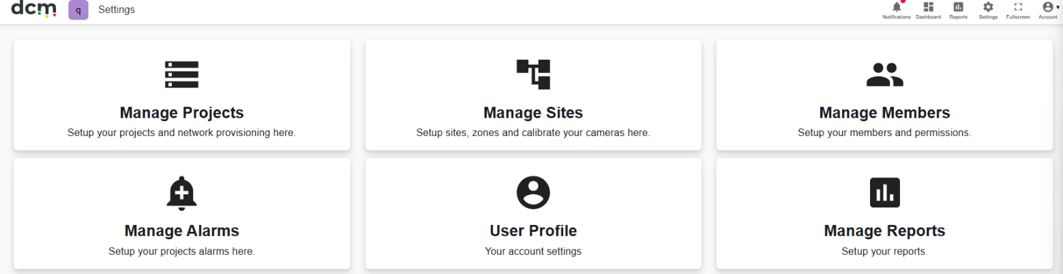
Manage Projects
This is where new projects are created and details for all projects can be managed, including members in the project and network setup.
Manage Sites
This is where a user will manage the site and device setup for their current project. The User can setup Sites, define Zones and Deploy and calibrate Cameras.
Manage Members
Here you can add modify or remove users for each project. You can also edit user details and levels of access.
Manage Alarms
Here you can add modify or remove Alarms, configure when Alarms are displayed in the dashboard, and set up SMS messaging Tools allow configuring of both trigger parameters, recipients and message text.
User Profile
This is where a user can edit their own details. This includes the option to set a default project if they have more than one.
Manage Reports
Set up customised reports.