DCM includes a full auditing system, which records all configuration changes made to a project along with times, and the user who triggered them. This is separate from the Alarm system and does not create pop up alerts, but does have a separate list of events.
Audit notifications can be accessed by clicking the “Notifications” icon on the top right of the screen. This will open up a dedicated list of Audit notifications.
When new audit events occurs a red dot will appear over this icon.as seen below.
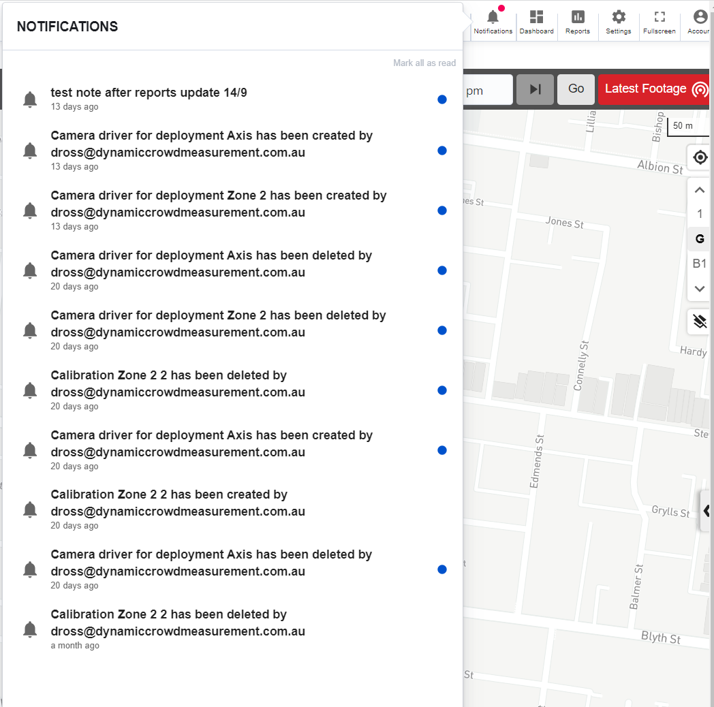
It is also possible to add custom free text notes to this log to record a significant event, or provide extra information.
Audit information can also be retrieved from both reports and the API via a dedicated end-point.